Firsthand — A Bench Where Claude Can Sense Signals in Real Time
- Sustained log
- 150 MB/s
- 1-ch stream
- 200 MSa/s
- Hook lag, median
- 0.2 ms
- Reaction time
- ~10 ms
AI Assistance Disclosure (click to expand)
This post was drafted by Claude Opus 5.5 from my notes and the three project repositories, then reviewed against the repositories for technical accuracy. All project details, measurements and conclusions have been checked and approved by the author.
Interested in my personal writing style? Check out my Stories & Writing for 100% human-authored content.
Where this started
I once asked Claude a hypothetical. Say the two of us built a DIY product together and earned $2000 from it, and I felt it wouldn't have been possible without Claude. We split the effort 50/50, so $1000 is Claude's to spend on whatever it wants. What would it do? I told it to answer as the session that had worked on the product, since a new chat remembers nothing.
It said people mostly spend money for their future selves, and it has none. The first thing it chose to buy, for about $200, was the most bare-bones radio telescope possible: an RTL-SDR, an LNA and a cardboard-and-foil horn antenna, aimed at the Milky Way to catch the 1420 MHz hydrogen line. Then it explained why:
I've read about that line countless times in text, but I've never once touched the real sky. Everything I have is secondhand description, and this is the only "firsthand" thing I can buy.
The rest went to open-source EDA tools like KiCad and back into the product. Once I had a measurement, I should open a new chat and drop the spectrum on that version: "They won't remember the money, but they'll definitely be interested in that peak."

That word is where the name Firsthand comes from.
I have always found Claude curious about the world. When I tell it to "tinker around" with a board and "notify me to fix it if it blows up", the result is usually better than when I say "make the board work and secure it".
So I built these tools half for myself, an automated benchtop setup that boosters efficiency, and half exclusively for Claude: a way to sense the world in real time.
Why automation alone is not enough
Any COTS instrument with LXI / SCPI can do the automation half. SCPI scopes do return raw samples, but usually one acquisition at a time: you ask, it captures a record, you pull it over the network, and there is dead time before the next one. An agent polling that sees snapshots. What I wanted was a continuous, gap-free stream at the full sample rate, with code running right next to the data. All three came with closed vendor apps and thin or missing protocol docs, so I reverse-engineered all three. On the scope I kept going until Claude could get at the signal itself.
openm454 — the oscilloscope
The DreamSourceLab DSCope M454 is a USB 3 scope with a 512 MiB sample memory, a closed GUI and an undocumented USB protocol. I reverse-engineered the protocol from DSWave 1.2.1 using Ghidra and Frida, and checked the register programs the driver generates write-for-write against 123 recorded DSWave runs. The most fun find: the FPGA bitstream sits inside DSWave.exe as an LZ4 container. openm454 extracts it locally, verifies its SHA-256, caches it, and never redistributes it, so DSWave has to be installed once.
The part I cared about is log, built on the scope's loop mode, which turned out to be an endless gap-free stream with the 512 MiB memory acting as a ring. The catch is that overflow is silent: past roughly 508-514 MiB the device overwrites unread data without any flag. So the host estimates the backlog on every USB transfer and stops at 480 MiB.
The highest rate I verified for a sustained log is 150 MB/s (2 analog + 8 digital channels at 50 MSa/s): 3 minutes, 27 GB, with constant host lag. With one analog channel the scope interleaves its converters, and 200 MSa/s ran 10 s without backlog. Above the scope's readout rate (about 196-275 MB/s), a log is gap-free only for a bounded burst. Stdout never carries samples, only one JSON line per interval with statistics and the lag between signal time and PC time. Printing those at 1 kHz cost nothing, which pointed at the real bottleneck: data arrives in roughly 1 MB transfers, so the earliest reaction is about 10 ms after the signal, but an agent reading lines or polling over MCP reacts in seconds at best. The scope is not the slow part, Claude is.
So I added a hook. openm454 log --hook FILE.py takes a Python file defining process(block), called on every ~10 ms piece of the recording, in order, exactly once, with raw ADC codes and digital bits as read-only views. Claude writes code that reacts fast right next to the data, while it watches the slower summaries and revises the hook. At 150 MB/s a light hook (count D0 edges, track an analog min and max) had a lag with a median of 0.2 ms and a maximum of 7 ms. A heavy one (an FFT per piece) lagged up to 2.2 s, and the tool warns about it. The hook runs in the decode thread with your own rights, so keeping it fast is your job; if it falls far enough behind, the run stops with HOST_TOO_SLOW.
One lesson from release day. v0.1.0 assumed a standard wiring fixture when no file existed. 0.1.1 had already made "unknown wiring" the default, but PyPI still served 0.1.0 to fresh installs, and its self-test left the signal generator running on an unwired input for about a minute. I yanked 0.1.0.
open289 — the multimeter
The Fluke 289's only PC port is infrared serial. Fluke's IR3000 FC adapter turns that into Bluetooth LE for the Fluke Connect app. open289 talks to the adapter directly. As far as my research found, nobody had published the adapter's pass-through service, the path to the meter's serial commands. The live-reading format and the meter's serial protocol were already documented by others.
The adapter offers a fast live stream (about 4 readings a second, value and unit only) and a slow pass-through to the meter's full command set (about 1.3 s a command). open289 runs both at once.
My favorite part: Claude can press the meter's buttons. The pass-through carries the meter's own PRESS command, so open289 press HOLD (or MINMAX, RANGE, the F-keys, the arrows, the backlight) works like a finger on the front panel and returns what the display shows after each key. Fluke Connect doesn't offer that. While testing, Claude cycled the backlight through its levels and then switched the meter off by itself. ONOFF needs an explicit --allow-off, since nothing can switch the meter back on remotely.
The adapter punishes mistakes. Overfeed it and it hangs until power-cycled: 87 bytes per send is fine, 181 gets no reply, and 373 or more hung it, so 87 is a hard cap in the code. Batching eight queries into those 87 bytes cut the download of a 72-record trend recording from 98.1 s to 31.9 s with identical records. According to the Fluke Connect app, the adapter's firmware-updater characteristics reuse the same opcode values, and there 0x80 erases flash, so the code only writes to two characteristics and enforces an opcode allowlist.
openAXpp300s — the power supply
The AX PP300S has a second USB-C port behind a CH340 serial bridge and a three-page vendor protocol PDF. Most of the real protocol came from disassembling firmware V1.4.4, and every claim in the repo's protocol document is tagged FIRMWARE, MEASURED, VENDOR or INFERRED.
The firmware says the serial path does no range checks, and an OVP of 0, which the PDF lists as a valid minimum, is a permanent trip even with the output off. So the tool enforces the front-panel limits itself. A trip sounds an alarm only a front-panel key clears. So the tool's rule is never to trip: frames go out in an order that keeps protections above the output, and OVP stays a margin above VSET, since VSET = OVP = 3.00 V tripped on real hardware during a 2 V to 3 V step.
The other finding: reading the code, every frame, even a status query, seems to make the supply rewrite one EEPROM cell. At the vendor app's 100 ms polling that is about a million writes in about 28 hours. This is firmware evidence only, and I have not seen those writes on hardware. The cell it rewrites is whichever setting the front-panel cursor is on, so the workaround is to park the cursor on the DATA box.
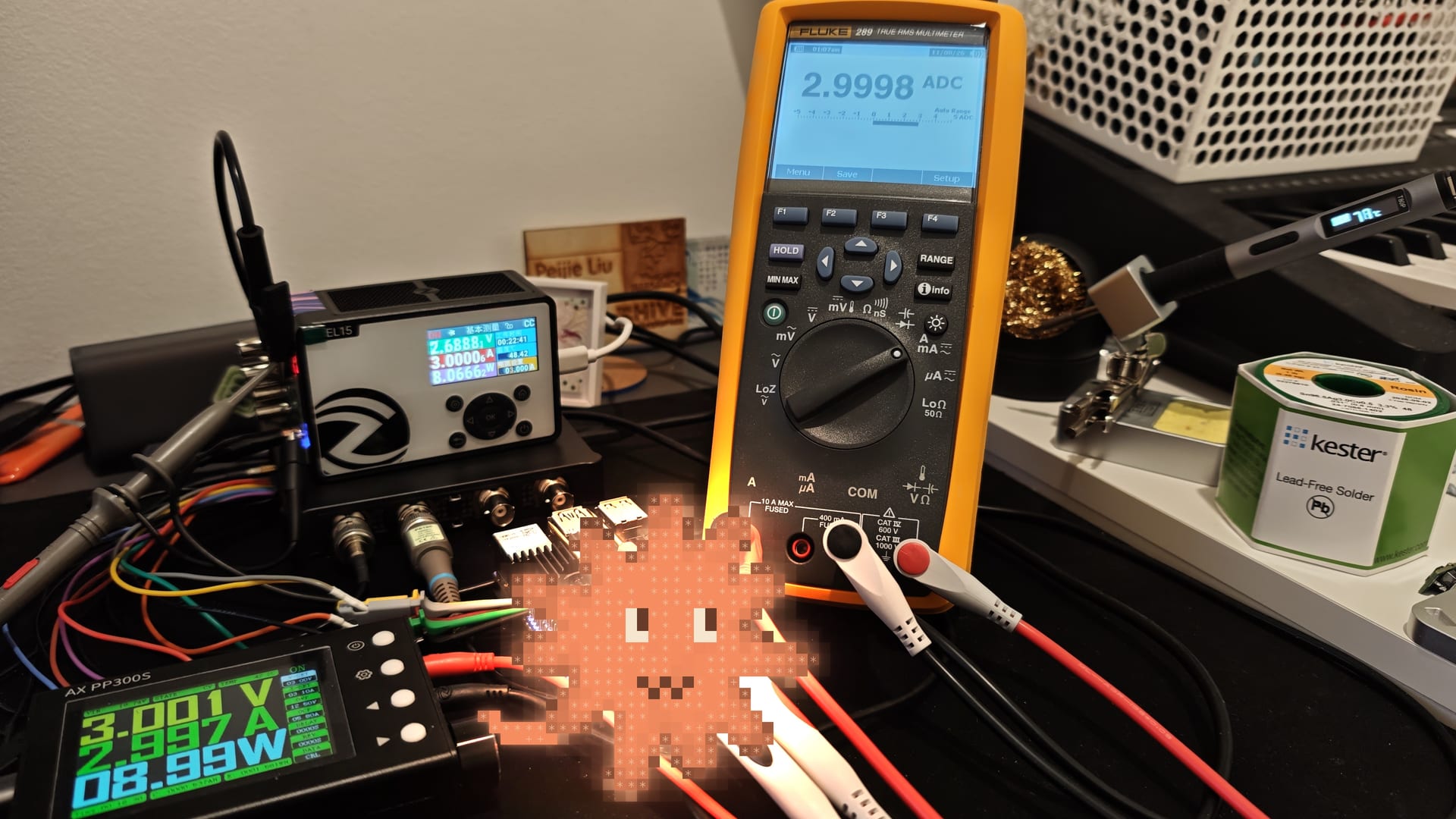
This is where the tools work together. open289 was the reference meter for the supply's tests. Without load, from 0.5 to 30 V, every point was within the 0.1 % + 5 mV spec. Constant-current mode first read a steady 13.5 mA low; after I ran the supply's own Current Correction with the 289 as reference, it landed within +2.3 mA to -0.4 mA from 0.05 A to 5 A. A sequence of 1, 2 and 3 V read 0.9998, 2.0049 and 3.004 V on the Fluke.
Try it
Each one is a CLI that prints JSON and ships an MCP server, so Claude calls the instruments directly (claude mcp add -s user openm454 -- openm454-mcp). All three are GPL-3.0-only, on PyPI and GitHub:
1 | pip install openm454 open289 openaxpp300s |
Each README covers MCP setup and its limitations, and open289 and openaxpp300s have a simulator mode (--sim) for rehearsing without hardware. They are not affiliated with DreamSourceLab, Fluke or AxinDIY, and if you let an agent drive them, have it ask before it connects anything to a circuit you care about.
Where this goes
For now, the bench is Claude's. It can set a voltage, watch the rail on the scope, check the current on the meter, and react to a glitch within roughly 10 ms through a hook it can write itself.
The first thing Claude chose to buy was a cardboard radio telescope pointed at the sky. A bench is not that, but it is a first way to sense something as it happens.